

Many musicians know the problem. You’re comfortable in one or two keys, and everything else feels like walking in the dark. The fix is obvious: practice all 12. Actually doing it is another story.
For me, it took years, one panicked night on a stranger’s keyboard, and a bit of code.
The Why
I play keyboard (a Roland JUNO-DS76) at my local church. The board is loaded with features and sounds, but my favourite is Transpose.
I actually started my musical journey on drums. After our keyboard player left, I got reassigned to the keyboard. At that point, I knew what a chord was and could play a few songs (bass note on the left, chord on the right), but I was limited to the all-popular white keys: the key of C. Being thrown into a live environment like that was challenging for a new, budding musician, so I chose the easy route.
Alex, I’ll take Transpose for 1000.
I always promised myself I’d learn all 12 keys, but saying it was different from doing it. I made several attempts: flash cards from Jermaine Griggs’ Hear and Play program, coding those flash cards into a terminal-based game using Termux on Android, trying to learn the circle of fifths. I felt like I’d tried everything, but progress was slow. So I defaulted to Transpose.
Everything changed one night when we visited another church, and part of our team got called on stage to perform a song. I looked confident as I walked up to the keyboard, but deep inside, my heart was racing. Does it have Transpose? Can I find it in time? Is it one of those digital pianos with no controls? Am I a faker?
My anxiety was through the roof. I spotted the word Transpose on the panel, but for the life of me, I couldn’t find the + and − buttons to change keys. PANIC.
Then the singer started, and she did me a solid. I quietly ran my key-finding routine (a story for another post), and to my delight, she was singing in C. All was well in the world again.
But that experience was the catalyst I needed. I accepted that I had to do everything I could to learn all 12 keys.
Hint: I code.
The What
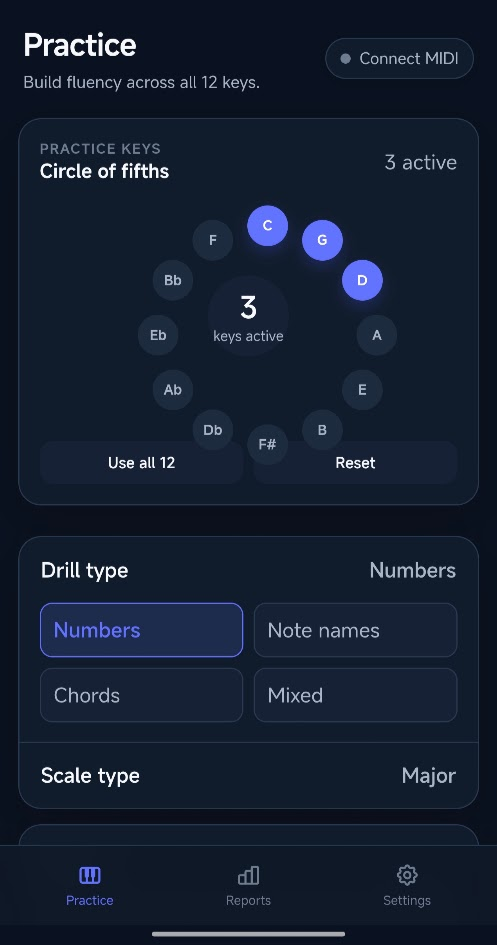
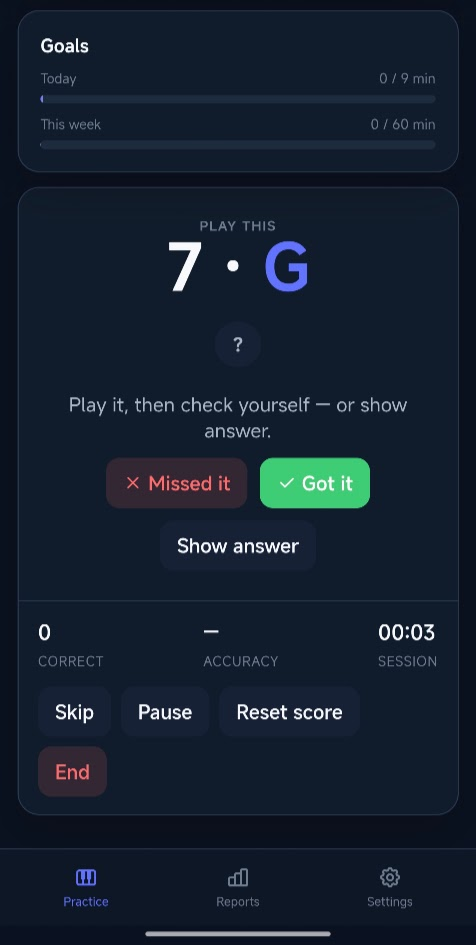
I built ScaleUp as a practice app for building fluency across all 12 keys. Connect your keyboard over MIDI (a USB cable works too) to a PC, laptop or phone using the appropriate cable, pick the key you want to practice, and it flashes a note or chord in that key. Play it correctly, and the next one appears. Repetition is the name of the game.
No keyboard nearby? You can still practice. Name the note out loud or in your head, check the answer, and mark yourself right or wrong. It’s handy for drilling on the bus, while on lunch break, or anywhere your instrument isn’t.
My favourite part of the app is that it uses the number system to address keys. Instead of “play E,” it can say something like 3 of C: the 3rd degree of C major. Thinking in numbers rather than note names is what makes it click across keys, because the 3 of C and the 3 of A-flat are the same idea in different places. It’s a popular concept in music, especially among gospel musicians. I first learnt it from Jermaine Griggs at Hear and Play.
Screenshots
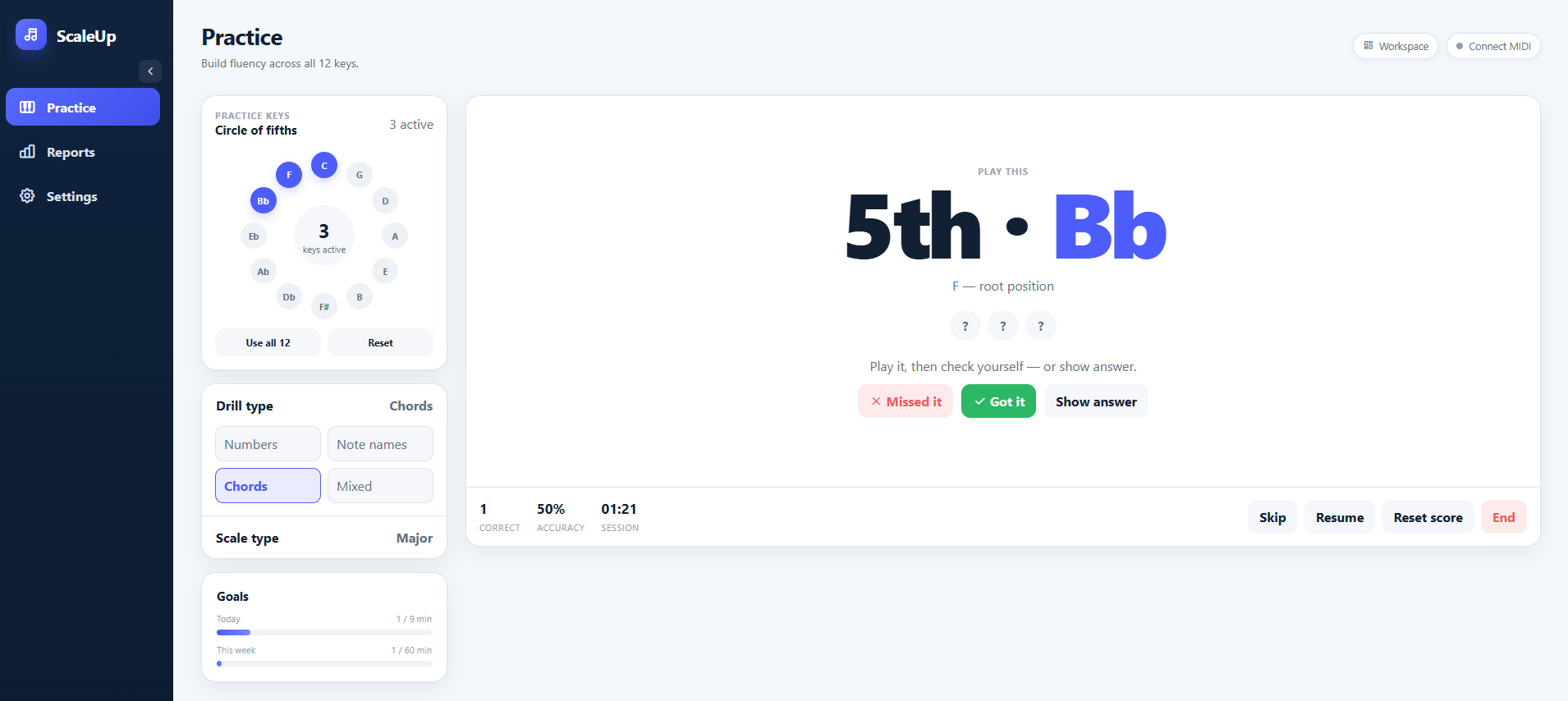
Android & Desktop
Features
- Pick your keys. Start with one, add more as you go, or throw all 12 at yourself. Keys are laid out on the circle of fifths.
- Chords and inversions. Prompts can include root position, first and second inversions, with your choice of chord notation.
- MIDI/USB support. Connect a keyboard and play directly into it.
- Countdown mode. Set a time limit per prompt. Too slow counts as a miss, which keeps you honest.
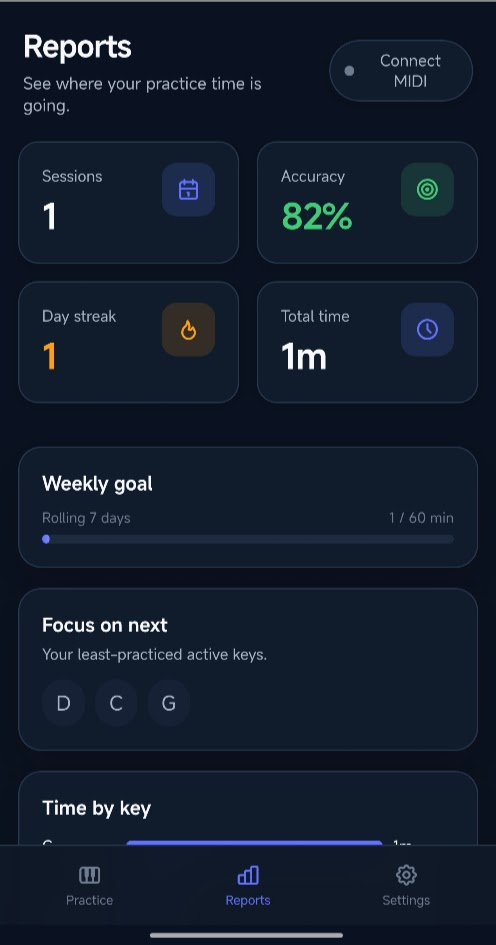
- Goals. Daily and weekly practice targets, adjustable in 10-minute steps.
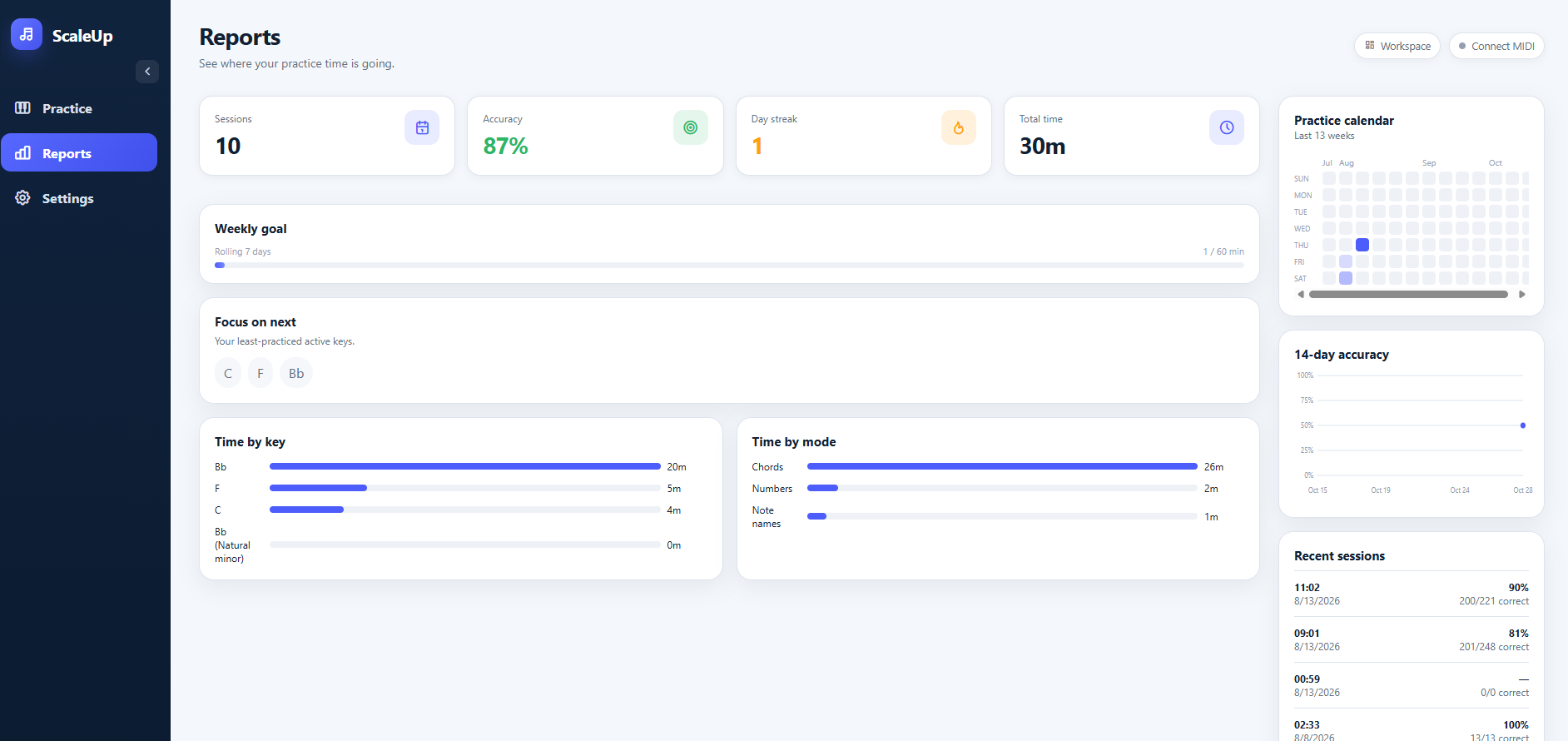
- Reports. Accuracy, day streaks, time spent per key, a practice calendar, and a list of your least-practiced keys so you know what to work on next.
- Presets. Save a drill setup and jump back in quickly.
- Keep screen on. Your phone won’t go to sleep mid-session.
Try it
It’s free to use at scaleup.desonalleyne.org. Pick a key, start a session, and see how your accuracy holds up outside your comfort zone. While it functions, there are still some features that feel 'missing'.
If you try it, I’d love to hear what you think, and what’s missing for you.